Track Field App: See the Day, Log the Work, Get Every Unit Ready
Housekeepers and maintenance techs run the part of your business guests feel first. Track Field App gives them a clear view of their day, directions to every property, access codes, unit notes, tasks, and photos, with one-tap start and stop on every work order. It covers the daily field workflow your teams rely on today in easier-to-use native iOS and Android apps and an update web portal. Track Field App supports English and Spanish, and comes with TrackPMS at no extra cost at launch.
Here's what's new:
See the Day
Whole day at a glance, everything for the job in one work order
Log the Work
Pass or fail, start and stop with one tap, photos from the phone
Get Every Unit Ready
Housekeeping, Maintenance, and Inspections in one app, works even when the signal doesn’t
See the Day
Everyone starts the day knowing what’s scheduled, where to go, and what they’ll need when they get there.
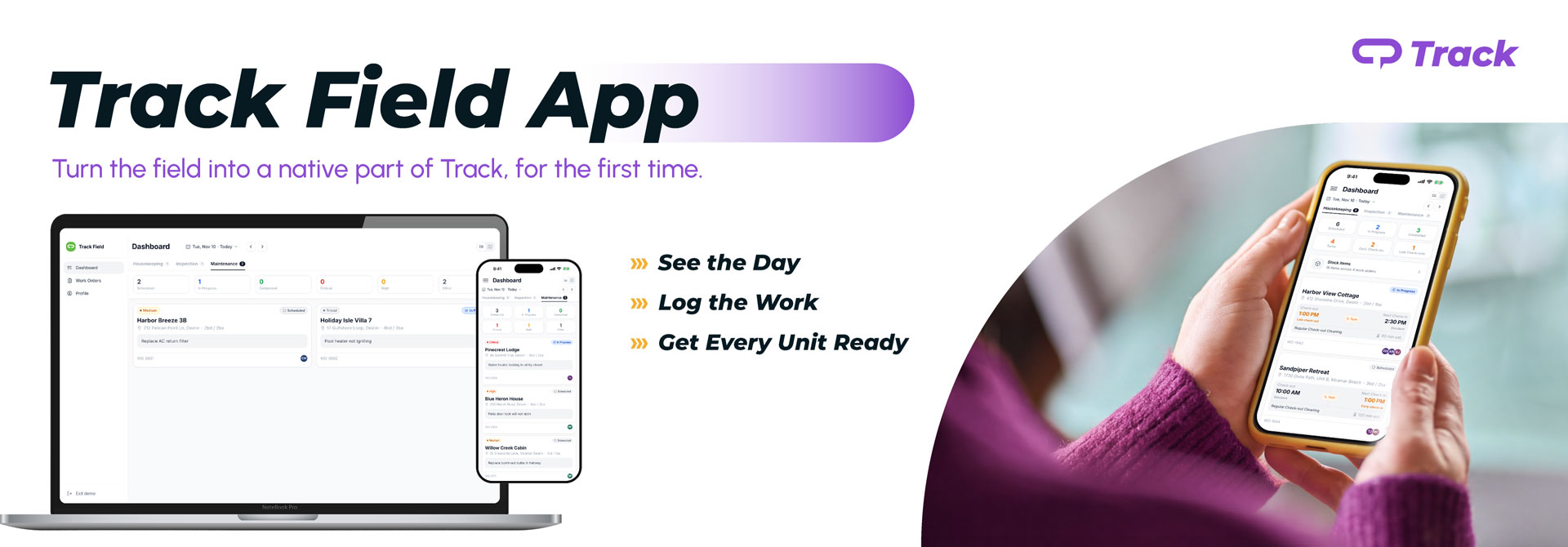
- Whole Day at a Glance: A dashboard sorts the day’s work into scheduled, in progress, and completed, with a map of where each person is headed next. Turns, early check-ins, and late check-outs are flagged up front, so nothing catches the team off guard on the way to the property.
- Everything for the Job in One Work Order: Directions, access codes, unit info, and tasks live on the work order itself. Crews stop calling the office for details they can’t find, and everything they need is right there when they walk in.
Log the Work
Every clean, inspection, and repair is documented on the work order while the work happens.
- Start and Stop with One Tap: One tap starts and stops a work order, and work logs capture time on the job. Your team can see what’s in progress and what’s done without a phone call.
- Photos from the Phone: Capture photos straight from the work order with the native camera, so there’s a record of every clean, repair, and inspection.
- Pass or Fail, Right From the Work Order: Inspectors mark a clean pass or fail on the spot, so the result is recorded while they’re still in the unit.
Get Every Unit Ready
One app for the whole team, in English and Spanish, that keeps working when the signal doesn’t.
- Housekeeping, Maintenance, and Inspections: Housekeepers work their cleans, techs view and update maintenance work orders, and inspectors check the results, all in one app on the same TrackPMS work orders your office already uses. Each person sees what their Track permissions allow.
- Works When the Signal Doesn’t: Basements and back roads shouldn’t slow a turn down. Today’s, tomorrow’s, and undated work is available offline, and starts, completions, photos, and work log entries sync automatically once you’re back in range.

Put Track Field App to Work
The Track Field App is now available for TrackPMS. Follow the getting started guide, or ask your Customer Success Manager if you’d like a hand.
New To Track?
Frequently Asked Questions
Track Field App is a refresh of the Housekeeping and Maintenance portals, plus new native iOS and Android apps. It brings housekeeping, inspections, and maintenance into one place inside TrackPMS.
Housekeepers, inspectors, and maintenance techs on TrackPMS, and the operators who manage them.
No. Track Field App is included with TrackPMS at launch.
Track Field App uses your existing Track sign-in, and single sign-on (SSO) is required. Refer to the Track Field App getting started guide or reach out to Support or your Customer Success Manager for help.
The app covers the daily field workflow: viewing and updating work orders, photos, tasks, unit info, and start and stop work logs. Some supervisor and admin functions, like assigning work, running the Clean Detail and Clean Summary reports, and printing work orders, still live in Track on the web today.
No. Track Field App is a native option. The Breezeway integration keeps working.
Yes. Today's, tomorrow's, and undated work is available offline. Starts, completions, photos, and work log entries queue and sync when you're back online.
English and Spanish at launch. Text your team types themselves, like task comments, isn't automatically translated yet.
Not at launch. Workers do get a map and directions to each property, and we're collecting feedback on location logging at the start and completion of a task.